
There is a process in place to enter preventative screening results in PSS for your patient.
The purpose for this is that once data is recorded, searches in PSS for outstanding and completed procedures can be performed. The Family Health Team creates lists of patients requiring screening tests from the data entered. Using this process, we can identify and manage patients and their required screening tests. The Toronto Western Family Health Team contacts patients, alerting them that their preventative care screening tests are due.
· Preventative Care examples include PAP smears, mammograms, colonoscopies, FOBT (fecal occult blood testing)
· For most results, the full test result is seen in the body of the patient’s chart
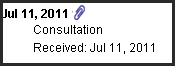
· Occasionally, reports may be entered into the chart as a PDF file, which is attached to a note. These are identified by a blue paper clip. Double click on the paper clip to open the report.
· When
you open your patient’s chart from the Record Menu, the Preventative
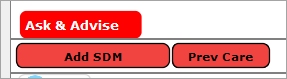
Care Button  is
located underneath the Cumulative Patient Profile (CPP) and above
the Ocean toolbar
is
located underneath the Cumulative Patient Profile (CPP) and above
the Ocean toolbar
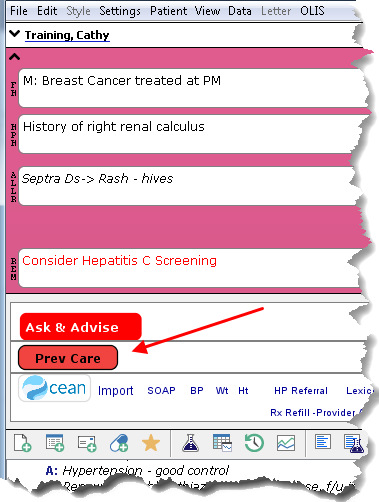
· The Preventative Care Toolbar is auto-populated with the screening test and date it was last performed, when the clinician signs off on the results or enters a report
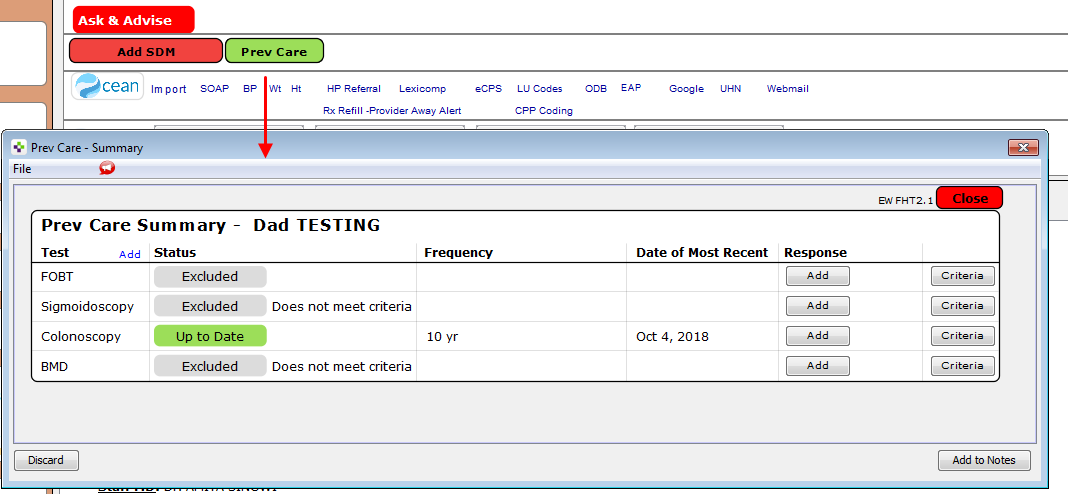
· The Preventative Care button will show green when screening is up to date
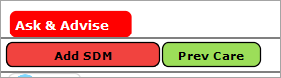
· The Preventative Care button will show yellow if a test is due within the next 6 months
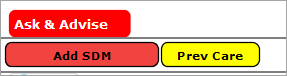
· The Preventative Care button will show red if there are overdue preventative care tests
· Click the Preventative Care button to display the last date of the test, frequency and criteria for tests

Learning powered by Digital Education